
Introduction to Combining Tables
Introduction
For several reasons, it can be useful to combine data from different tables.
This is so that data is merged into one table.
We will look at this from the following example.
- There are 2 tables:
employees: Each row contains data of an employee.addresses: Each row contains an address.
- There is a one-to-many relationship between
employeesandaddresses.- Each employee can have different types of addresses.
- For example, home and work address.
- Each employee can have different types of addresses.
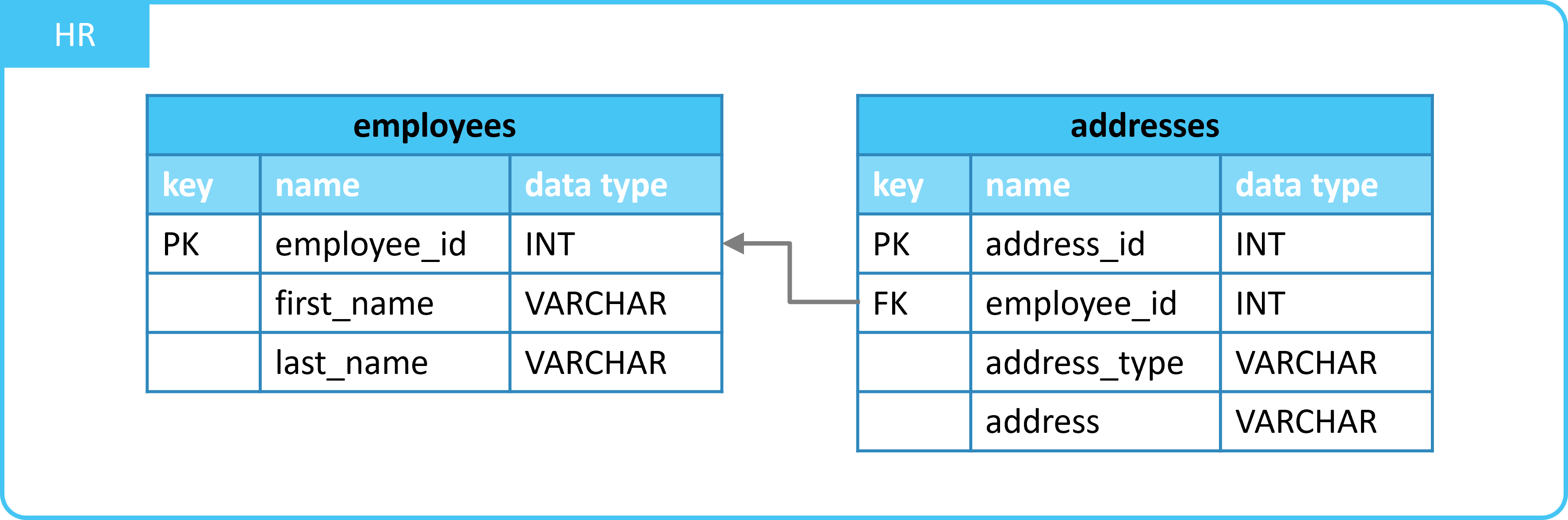
For example, to send a letter to each employee, you want to combine both tables.
If you combine the tables into one table, you get something like this:
| employee_id | first_name | last_name | address_type | address |
|---|---|---|---|---|
| 10920 | Sulema | Carter | work | 1108 AA, Provincialeweg 172, Amsterdam |
| 10920 | Sulema | Carter | home | 4791 KR, De Flank 91, Klundert |
| 17173 | Venessa | Wolf | home | 7054 BM, Zaaltjesdijk 145, Westendorp |
| 30959 | Johan | Maurer | home | 2411 CZ, Wilhelminastraat 151, Bodegraven |
| ... | ... | ... | ... | ... |
Now we need to do this with an SQL query.
- There are different ways to merge data from tables.
- For this, you use different statements in SQL.
1. Different Methods
The "different SQL statements" for combining tables are listed below:
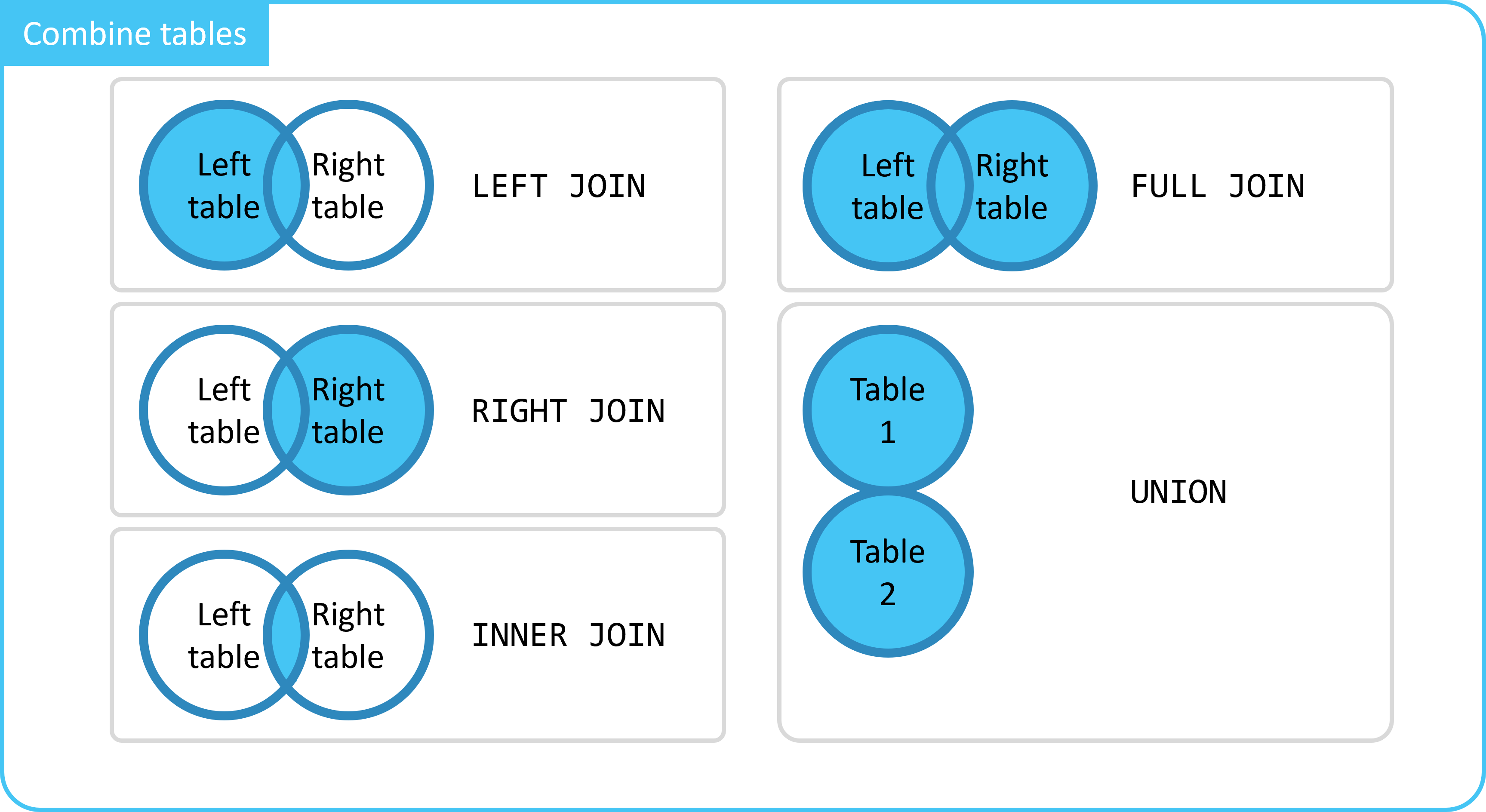
These will be discussed step by step in the following submodules.
Summary
- You can merge data from 2 tables.
- There are different ways to do this.
- For each method, there is a specific SQL statement.
LEFT JOINRIGHT JOININNER JOINFULL JOINUNION