
Common table expressions
Introduction
Earlier, we looked at subqueries.
- You can execute a query within another query.
- This is called a subquery.
With a subquery, you can solve complex problems.
-
But as you write more and/or long queries, it can become unmanageable.
-
To write code that is more readable, you can use common table expressions.
-
Abbreviated: CTE.
We will look at an example to see why this is useful.
1. Example CTE
We will tackle a problem.
Here, we will eventually use a common table expression.
We will build it up step by step.
- First, we look at individual queries.
- Then we combine them with subqueries.
- Finally, we rewrite it with a common table expression.
1.1. Problem Statement
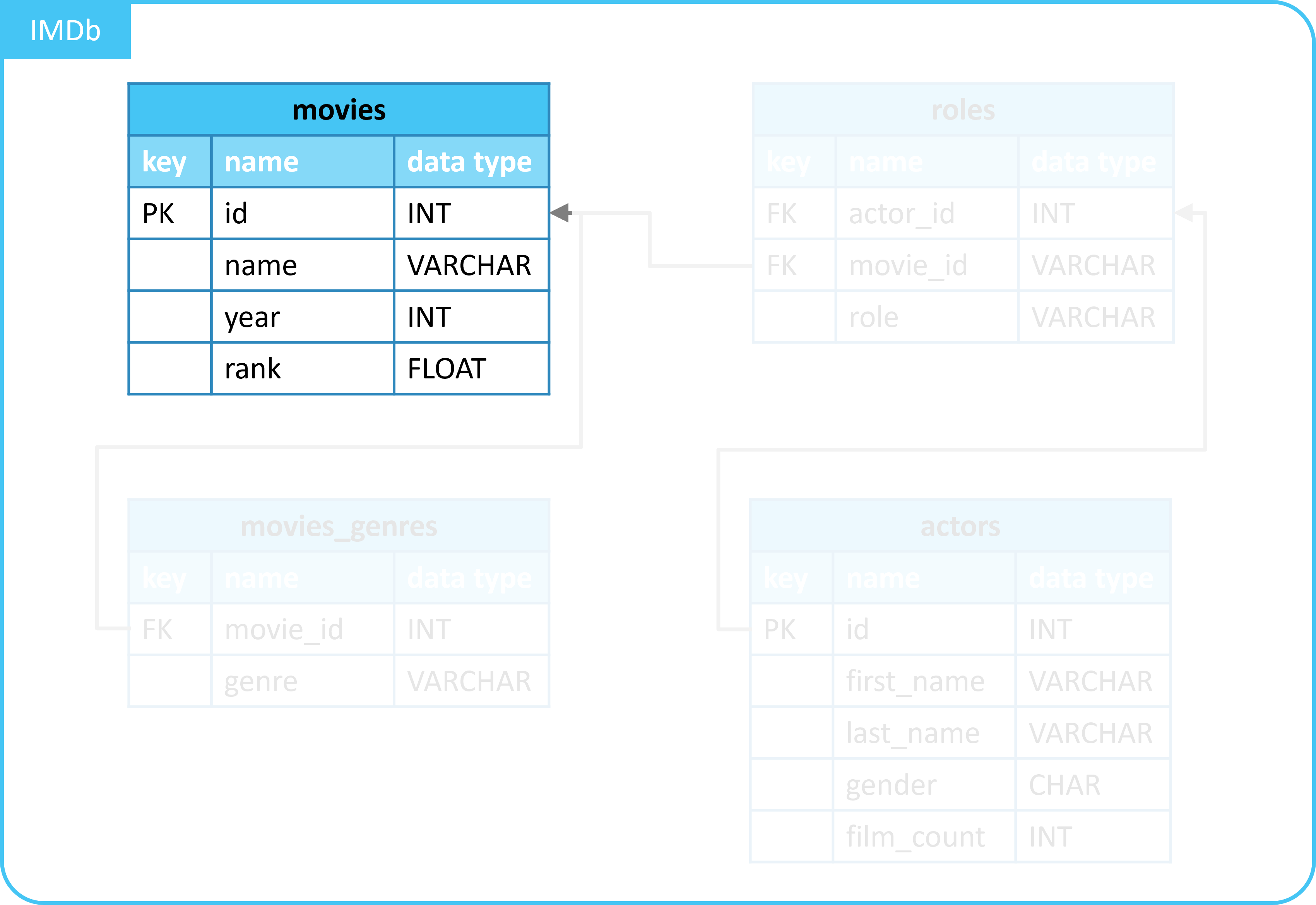
We will solve the following problem:
- In the
moviestable, we have details of movies.- For example, the year, and the score.
- We want an overview of all movies.
- With the addition of:
- The average score of all movies from the year a movie was released.
- With the addition of:
This allows us to see if a movie was better/worse than the average movie from that year.
1.2. Query all movies
With the following query, we retrieve details of movies.
From the movies table.
| id | name | year | rank |
|---|---|---|---|
| 10920 | Aliens | 1986 | 8.2 |
| 17173 | Animal House | 1978 | 7.5 |
| 18979 | Apollo 13 | 1995 | 7.5 |
| ... | ... | ... | ... |
1.3. Query average score per year
With the following query, we retrieve the average score per year:
| year | avg_rank_by_year |
|---|---|
| 1972 | 9 |
| 1977 | 8.8 |
| 1978 | 7.5 |
| ... | ... |
1.4. Combine with a subquery
With a LEFT JOIN and a subquery, we combine the 2 queries.
SELECT
  m.*,
  year_details.avg_rank_by_year
FROM
  movies AS m
  LEFT JOIN (
    SELECT
      year,
      AVG(rank) AS avg_rank_by_year
    FROM
      movies
    GROUP BY
      year
  ) AS year_details ON m.year = year_details.year;
| id | name | year | rank | avg_rank_by_year |
|---|---|---|---|---|
| 10920 | Aliens | 1986 | 8.2 | 8.2 |
| 17173 | Animal House | 1978 | 7.5 | 7.5 |
| 18979 | Apollo 13 | 1995 | 7.5 | 7.9 |
| ... | ... | ... | ... | ... |
You can see that we have now added the average score per year.
But, the query is somewhat difficult to read due to the complexity.
1.5. Use of a common table expression
We now replace the subquery with a common table expression.
We will explain how a common table expression works afterward.
WITH year_details AS (
    SELECT
      year,
      AVG(rank) AS avg_rank_by_year
    FROM
      movies
    GROUP BY
      year
  )
SELECT
  m.*,
  year_details.avg_rank_by_year
FROM
  movies AS m
  LEFT JOIN year_details ON m.year = year_details.year;
| id | name | year | rank | avg_rank_by_year |
|---|---|---|---|---|
| 10920 | Aliens | 1986 | 8.2 | 8.2 |
| 17173 | Animal House | 1978 | 7.5 | 7.5 |
| 18979 | Apollo 13 | 1995 | 7.5 | 7.9 |
| ... | ... | ... | ... | ... |
You can see that we get the same result as with the use of the subquery.
- But with the common table expression, the code is nicely divided into separate blocks.
- This makes the code more readable.
2. Common table expression syntax
We have looked at an example of a common table expression.
In it, you can recognize the following syntax:
You do the following with this:
- You give a query a name.
- With
WITHandAS.
- With
- This creates a temporary table under this name.
- With the name, you can reuse the data (the result of the query) later.
- This can be in multiple places in another query.
- For example, in a
WHEREorJOINstatement.
- For example, in a
- This can be in multiple places in another query.
3. Advantages of common table expressions
Common table expressions have the following advantages:
- More readable queries.
- By dividing into separate blocks.
- This also makes your query easier to test/debug.
- Query reuse.
- You can reuse a CTE in multiple places.
- Support for complex queries.
Summary
- A common table expression (CTE) gives a query a name.
- With the name, the query can then be used elsewhere.
- Example:
- A common table expression makes your code more readable.