
Merging Data with UNION
Introduction
We have learned to use various JOIN statements.
With these, you combined columns from 2 tables.
Now we look at the UNION statement:
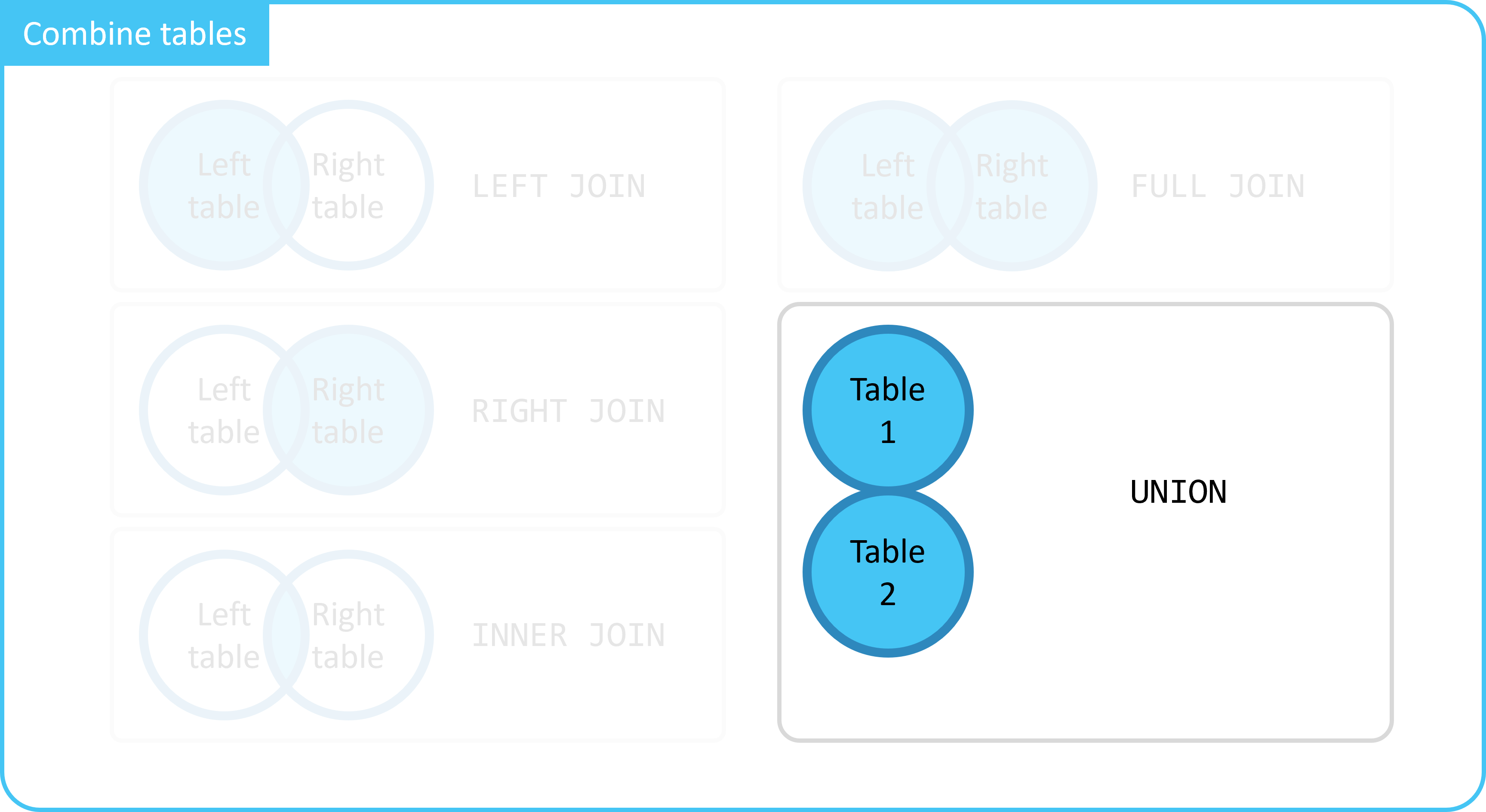
With this, you combine rows instead of columns from 2 tables.
1. UNION Explanation
Suppose we have 2 tables:
movies: Data of movies.tv_shows: Data of series.
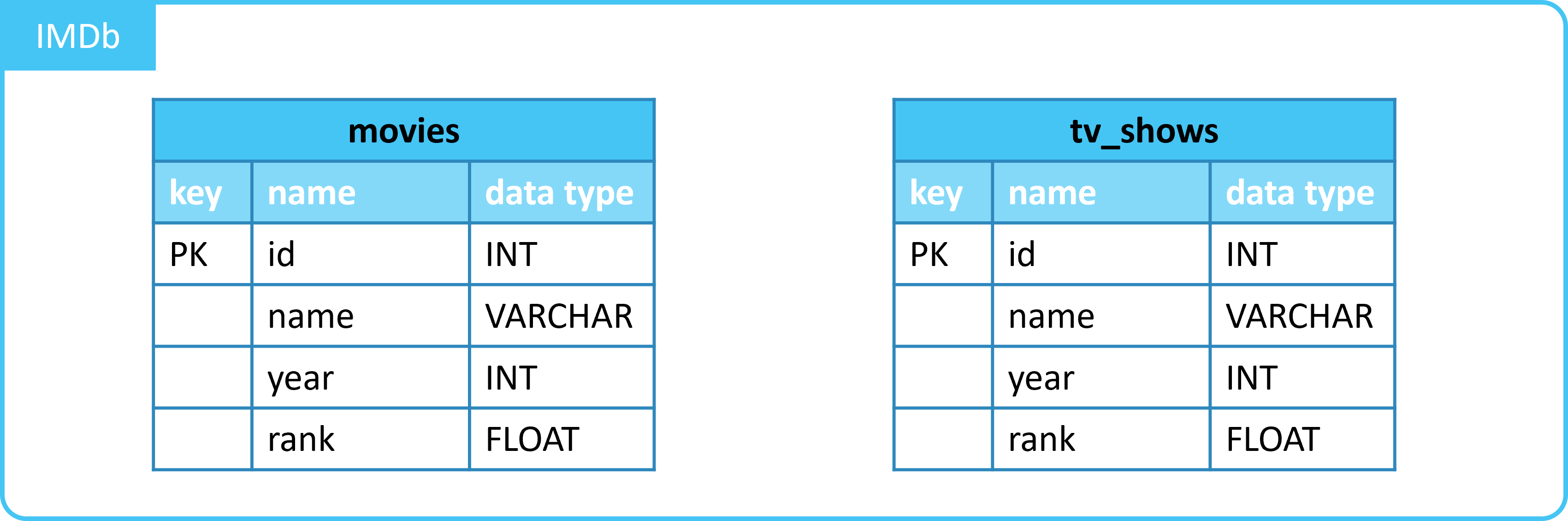
Example data would be:
1.1. Table movies
| id | name | year | rank |
|---|---|---|---|
| 10920 | Aliens | 1986 | 8.2 |
| 17173 | Animal House | 1978 | 7.5 |
| 18979 | Apollo 13 | 1995 | 7.5 |
| ... | ... | ... | ... |
1.2. Table tv_shows
| id | name | year | rank |
|---|---|---|---|
| 12654 | The Walking Dead | 2010 | 8.2 |
| 16548 | Breaking Bad | 2008 | 9.5 |
| 18654 | Game of Thrones | 2011 | 9.2 |
| ... | ... | ... | ... |
1.3. Merging with UNION
Suppose we want a list of all scores (rank) from both tables.
For this, we can use UNION.
You would do this as follows:
- You write 2
SELECTstatements.- 1 for each table.
- You link the selections with
UNION.
This gives the following result:
| rank |
|---|
| 8.2 |
| 7.5 |
| ... |
| 9.5 |
| 9.2 |
| ... |
Note: Duplicates are removed.
1.4. Merging with UNION ALL
UNION removes all duplicate rows.
If you don't want this, use UNION ALL
You would do this as follows:
- You write 2
SELECTstatements.- 1 for each table.
- You link the selections with
UNION.
This gives the following result:
| rank |
|---|
| 8.2 |
| 7.5 |
| 7.5 |
| ... |
| 8.2 |
| 9.5 |
| 9.2 |
| ... |
UNIONremoves duplicate rows.- Both selections must have the same number of columns.
- Columns in both selections must be in the same order.
- Columns in both selections must have the same data types.
2. UNION Example
We can give an example of UNION with the table movies.

We will merge 2 selections from the table with UNION.
Here we want to merge scores of 7.5 and 9.
| rank |
|---|
| 9 |
| 7.5 |
You see the following:
- Scores of movies with a rating of
7.5are selected. - Scores of movies with a rating of
9are selected. - Selections are merged with
UNION.- Duplicate ratings (rows) are removed.
3. UNION ALL Example
We can give an example of UNION ALL with the table movies.
We will merge 2 selections from the table with UNION.
Here we want to merge scores of 7.5 and 9.
| rank |
|---|
| 7.5 |
| 7.5 |
| 7.5 |
| 7.5 |
| 7.5 |
| 9 |
| 9 |
You see the following:
- Scores of movies with a rating of
7.5are selected. - Scores of movies with a rating of
9are selected. - Selections are merged with
UNION.- Duplicate ratings (rows) are not removed.
Summary
- With
JOINstatements you combine columns from tables. - With the
UNIONstatement you combine rows from tables.UNIONremoves duplicate rows.- Both selections must have the same number of columns.
- Columns in both selections must be in the same order.
- Columns in both selections must have the same data types.
UNION ALLdoes not remove duplicate rows.